What happened?
Every event is captured the moment it fires, from dataLayer.push, SDK calls like gtag() and fbq(), and the network itself. Two capture channels run in parallel, so early pixels aren't missed.
A magnifier for tracking events.
Eventloupe is a Chrome DevTools extension. It shows every pixel, tag and dataLayer push a page fires, what was sent, and what was actually observed.
Chrome extension, launching soon on the Chrome Web Store.
Share feedback on GitHubIllustrative example of one add-to-cart click on a sample page. Move the loupe, or tap and drag it.
How it works
Most tag debuggers tell you a request was made. Eventloupe tells you what happened to it, and why it says so.
Every event is captured the moment it fires, from dataLayer.push, SDK calls like gtag() and fbq(), and the network itself. Two capture channels run in parallel, so early pixels aren't missed.
Each event is traced through six stages, from your app to the response. Every stage is marked observed, failed, or unknown, so you can see exactly where the evidence stops.
Rule-based diagnostics with stable codes, EL1000 to EL9999. The same input always gives the same answer. No AI decides what's valid.
The truth gap
Fired is not the same as delivered. A missing response isn't a success, and it isn't a failure. Eventloupe keeps "I couldn't observe this" as its own answer instead of rounding it to yes or no.
httpStatus: 204
The request was seen and the response came back clean.
httpStatus: 500
The request was seen and delivery was confirmed to have failed.
httpStatus: null
Not observable from the browser. Shown as unknown, never as an error you didn't see.
| Capability | Standard debuggers | Eventloupe |
|---|---|---|
| Status model | Success or fail. Two states. | Observed, failed or unknown. Three states. |
| What it relies on | Typically the SDK's own report of what it did | The network request and its response, alongside the SDK call |
| Missing evidence | Has to be shown as a pass or a fail | Shown as unknown, never guessed |
| Delivery | Not verified | Response status recorded where the browser exposes it |
| The report | A pass/fail badge | An evidence trail: six stages, each marked observed, failed or unknown |
"Standard debuggers" describes the common pass/fail approach, not any specific product.
Standard debugger
The SDK call fired, so a pass/fail badge says it worked.
Eventloupe
The request left the browser. The server's response says it wasn't recorded.
Illustrative example.
Six stages, each marked observed, failed or unknown. Select a stage to see what Eventloupe looks at there.
Stage 1 of 6 · Application
dataLayer.push, or an SDK call like gtag() or fbq().Illustrative pipeline for a single event. Failed stages are flagged where the evidence is, and unknown stages stay unknown.
Who it's for
01 · Developers
dataLayer.push → gtag() → request
02 · Analysts
GA4 + Meta Pixel · one timeline
03 · Marketers
request sent · response observed
Diagnostics
Codes are permanent identifiers: the wording can improve, the code never changes. They come from fixed rules, so the same input always gives the same result.
The JS API call was intercepted, but no matching network request was seen.
FixCheck whether a consent manager or ad blocker is suppressing the request.
The tracking server rejected the request, so the event was lost.
FixCheck the payload for malformed parameters or an invalid pixel ID.
The tracking server returned an error, so the platform failed to record the event.
FixThis is platform-side. Retry, or check the platform's status.
The event_id in the JS call doesn't match the one in the network request.
FixPass the same event_id to fbq() and to the CAPI server call.
The conversion may not be attributed to the right ad click.
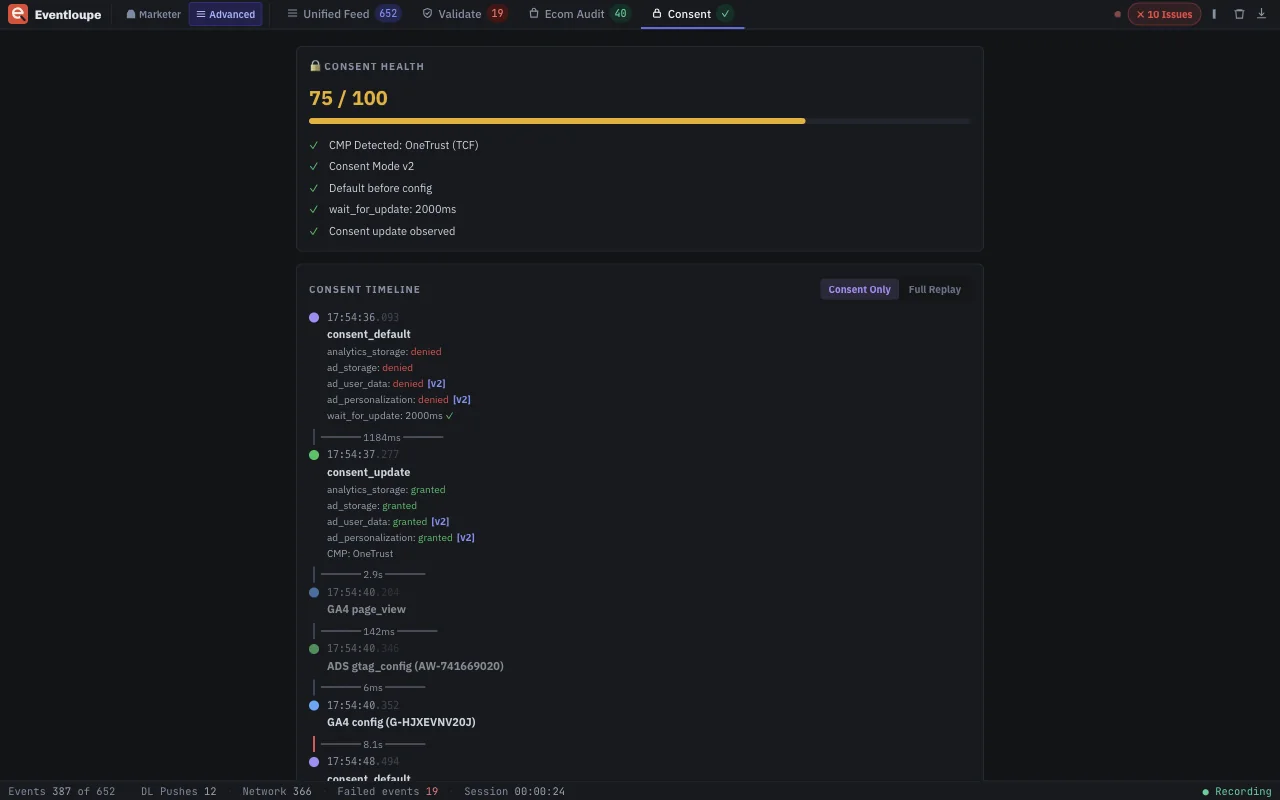
FixMake sure Consent Mode is configured correctly for your consent platform.
gtag("consent","default") fired after gtag("config"), so tags may have fired with the wrong consent state.
FixMove the consent default before any config call, ahead of your tag manager.
Eventloupe reports what it observed. A request it doesn't see is "not observed", and the fixes suggest likely causes without claiming one. See how codes are grouped in the docs →
The panel
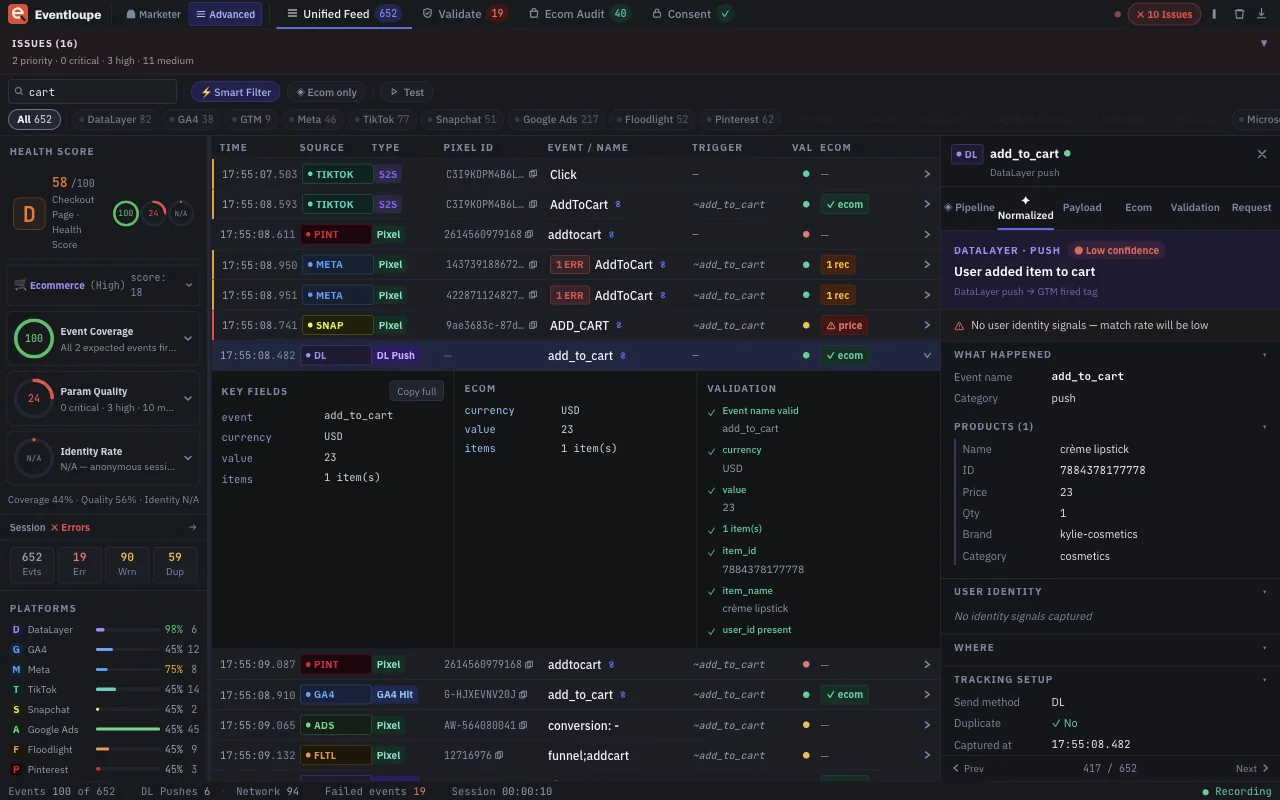
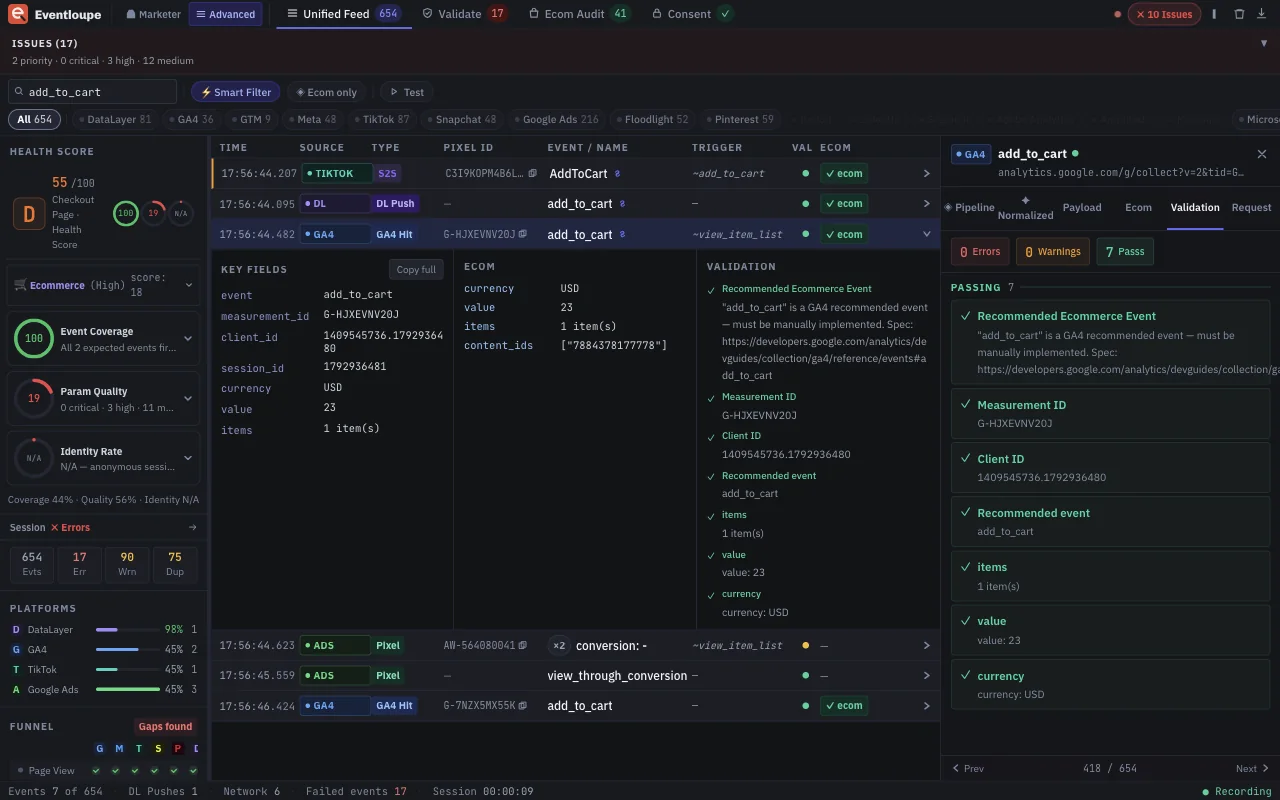
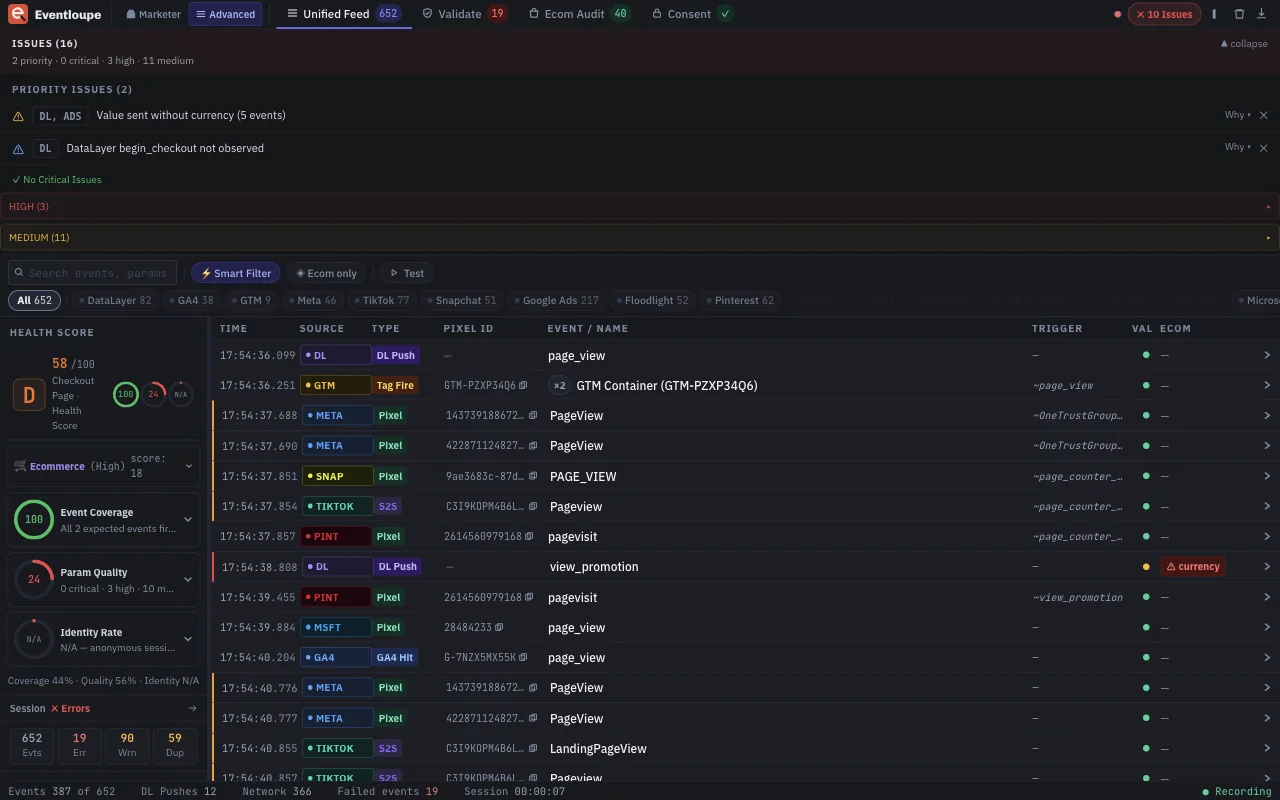
Captured from real sites, not mock-ups. Add to cart, checkout and consent, across every platform at once.
Coverage
Eventloupe replaces switching between a handful of single-purpose debuggers. Every platform is read the same way and validated against its own documentation.
All product names are trademarks of their respective owners. Eventloupe is an independent tool and isn't affiliated with or endorsed by any of them.
Privacy
Eventloupe doesn't collect, transmit or store any data outside your browser.
This site practises the same thing. It loads no trackers, no third-party fonts and no analytics. Open Eventloupe on this page and see for yourself.
Read the full privacy policy →Launching soon
Eventloupe is built for developers, analysts and marketers who need to know what a page really sent. Questions or feedback are welcome.
A magnifier for tracking events.